Setting Correct Permissions on the Private Key
Important: For the private key to be usable with the ssh command on Windows, it must have the correct permissions.
Only the current user should have access to the private key, otherwise the ssh program will refuse to use the key.
These are the instructions to change the key permissions.
- Right-click on the private key file
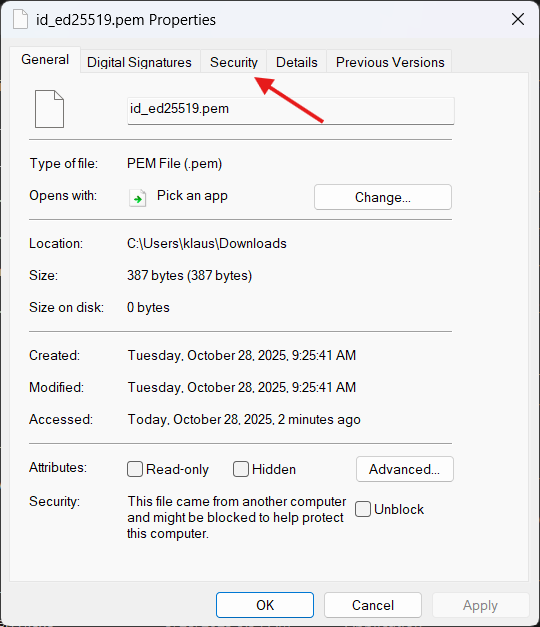
- Select "Properties"
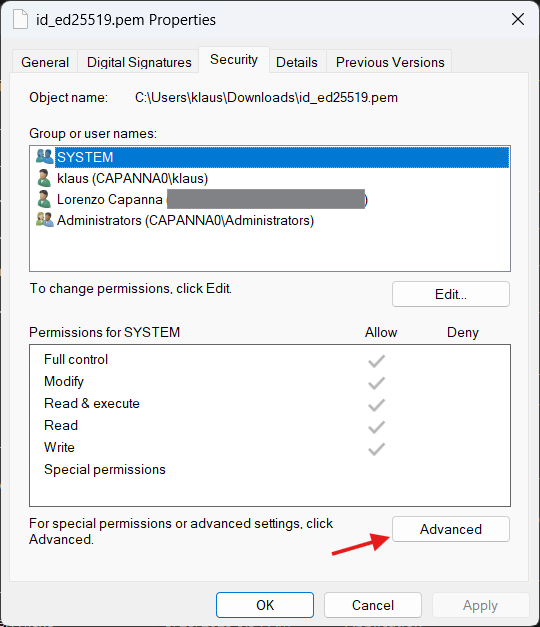
- Go to the "Security" tab
- Click on "Advanced"
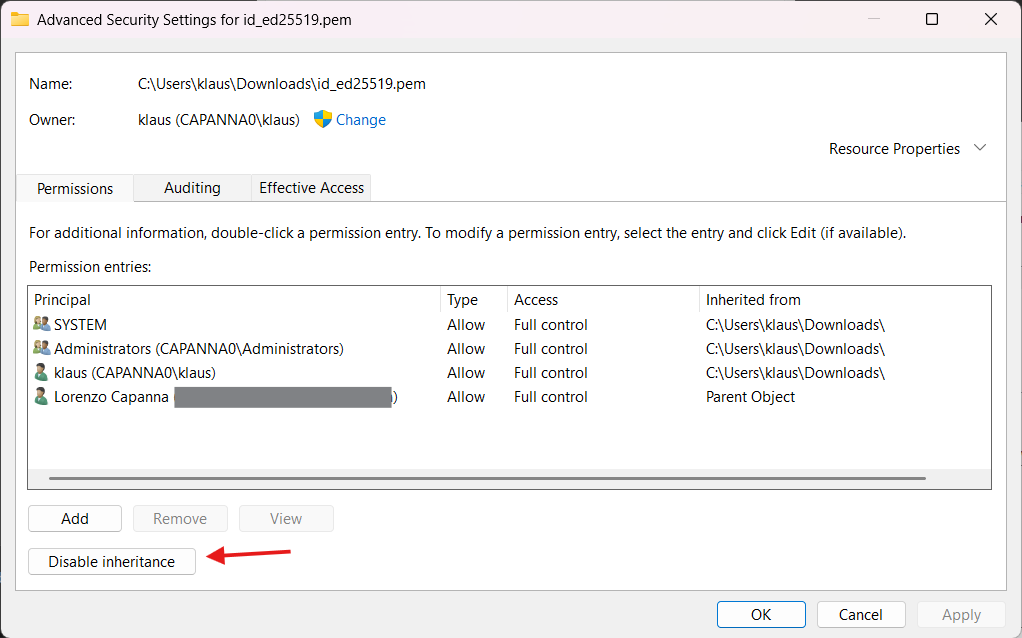
- Click on "Disable inheritance"
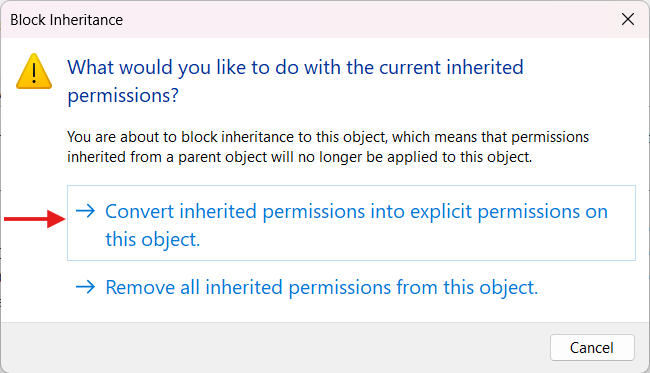
- Select: "Convert inherited permissions into explicit permissions on this object"
- From the "Permissions entries" list, remove all permissions except the one related to your user
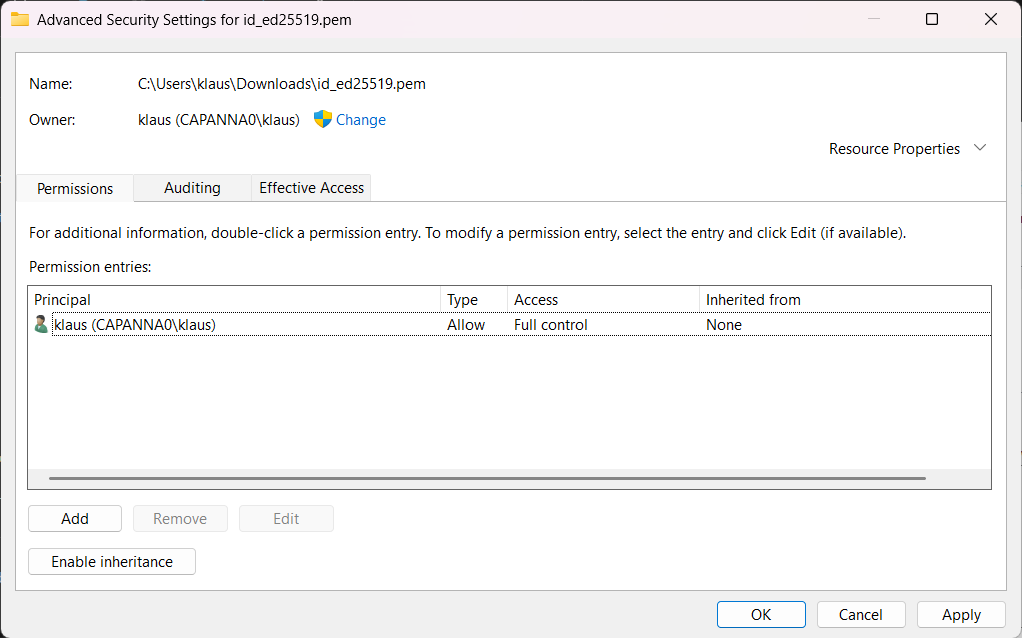
- Finally, click "OK" on the open windows